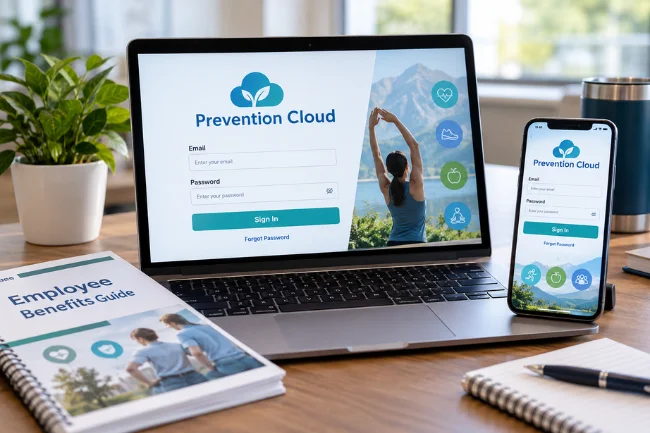

Workplace health and employee wellbeing have become important priorities for modern organizations. Many employers now provide wellness programs to encourage healthier habits, support preventive healthcare, and help employees take a more active role in managing their wellbeing. Digital platforms make these programs easier to organize, monitor, and access.
Prevention Cloud, also known as PreventionCloud, is one platform associated with this growing approach to workplace wellness. It provides digital tools that help participating employees engage in health assessments, wellness activities, personalized plans, and fitness challenges.
The platform is associated with Zomo Health and is designed to support organizations that want to encourage healthier lifestyles among their employees. Depending on the employer’s program, participants may also receive points, rewards, or financial incentives for completing certain activities.
Understanding how Prevention Cloud works can help employees make better use of their workplace wellness benefits. This guide explains its purpose, features, advantages, login process, mobile application, privacy considerations, and possible limitations.
What Is Prevention Cloud?
PreventionCloud is a digital wellness and population health management platform used by organizations to support employee health improvement programs.
It provides tools that encourage individuals to participate in activities related to their physical wellbeing and healthier daily routines. These may include completing lifestyle assessments, participating in wellness challenges, tracking activity, and accessing educational resources.
The platform is connected with Zomo Health, a company operating in the health and wellness technology sector.
Unlike a general social networking application or a traditional fitness tracker, PreventionCloud is primarily associated with employer-sponsored wellness initiatives. Access and available features can depend on the organization providing the program.
For example, an employee might receive access through a workplace medical benefits package. Another organization may use the platform to organize wellness challenges, provide health education, or encourage preventive screenings.
This employer-based approach makes PreventionCloud particularly relevant to workers who want to participate in organized wellness activities.
Who Developed PreventionCloud?
PreventionCloud is associated with Zomo Health, a health and wellness technology provider based in Houston, Texas.
The company’s LinkedIn profile describes its work in population health management and digital health. Its stated focus includes assessing the health of populations, encouraging healthier behaviors, and measuring participation and outcomes.
The Google Play listing for the PreventionCloud application also identifies Zomo Health, LLC as its developer.
This connection is useful for understanding the platform’s background. Rather than being an independent fitness application developed solely for individual consumers, PreventionCloud is connected to a broader workplace wellness and population health management service.
Its employer-oriented structure allows organizations to provide wellness resources and activities through a shared digital system.
The Main Purpose
The primary purpose of Prevention Cloud is to encourage people to become more involved in their health and wellbeing.
Many employees have access to health insurance but may not regularly participate in preventive activities or structured wellness programs. Digital platforms can make it easier for employers to communicate available resources and motivate employees to take part.
PreventionCloud supports this approach by providing access to wellness assessments, activities, challenges, and progress-related tools.
It also gives participating organizations a way to coordinate wellness initiatives. Depending on the agreement and program configuration, employers may establish specific activities that employees need to complete to qualify for incentives.
The broader objective is to make health improvement an ongoing activity rather than something employees consider only when they become ill.
How Prevention Cloud Works
PreventionCloud generally works through an employer-sponsored account.
An organization first makes the platform available to eligible employees. Participants receive instructions explaining how to register or access their accounts.
Once logged in, employees can view the wellness activities and resources available through their particular program.
These activities may include lifestyle assessments, health-related educational material, fitness challenges, preventive screenings, and other approved wellness tasks.
Some programs use points to measure participation. Others connect completed activities with specific incentives, such as reduced medical insurance premiums.
The exact process varies by employer. Not every PreventionCloud user necessarily receives the same activities, rewards, or benefits.
Employees should therefore follow their organization’s official enrollment instructions rather than assuming that information from another company’s wellness program will apply to them.
Main Features
PreventionCloud combines several tools that support participation in workplace health programs.
Health Risk Assessment
A Health Risk Assessment, commonly called an HRA, is one of the important activities associated with the platform.
It involves answering questions about lifestyle habits and general health-related factors. Depending on the program, the assessment may cover physical activity, nutrition, preventive care, and other aspects of everyday wellbeing.
The purpose is to help participants understand their current habits and identify areas where improvements may be useful.
An HRA is not a medical diagnosis. Its results should be understood as wellness information rather than a replacement for an examination by a qualified healthcare professional.
Wellness Activities
The platform supports different wellness activities designed to encourage healthier routines.
These activities may include educational exercises, preventive health tasks, lifestyle improvement programs, and participation in employer-sponsored initiatives.
The specific options depend on the organization operating the program.
For employees, having activities available in one place can make it easier to understand what needs to be completed and how to participate.
Fitness and Activity Tracking
PreventionCloud also offers tools connected with tracking progress toward activity-based goals.
Its mobile application describes optional integration with Google Health Connect. With the user’s permission, the app can read step-count information to display daily totals and monitor progress toward activity challenges.
This can help participants become more aware of their daily movement.
However, the published application description states that this integration is limited to step-count information. It should not be assumed that the application automatically collects every type of health or fitness measurement.
Personalized Wellness Plans
Another feature described in the mobile application is personalized wellness planning.
These plans are intended to help users focus on their individual wellness goals and monitor their progress over time.
For example, someone interested in becoming more active may use a plan to maintain a consistent walking routine.
The value of personalized planning depends on the information available and the features enabled within the user’s account.
Health Challenges
Interactive challenges are another part of the PreventionCloud experience.
These activities can encourage participants to work toward specific milestones, maintain healthier habits, and remain involved in wellness programs.
Depending on the employer’s arrangement, challenges may be individual or group-based.
A workplace walking challenge, for instance, can encourage employees to become more physically active while creating a shared sense of participation.
Rewards and Incentives
Some employers connect PreventionCloud activities with rewards or financial incentives.
These benefits may include wellness points, prizes, or reduced medical insurance premiums.
An example appears in API Group’s 2024–2025 employee benefits guide. It describes a program in which eligible employees and spouses could complete a Health Risk Assessment and physician-related requirements to qualify for lower medical plan premiums.
The guide estimated annual savings of more than $270 for individuals and between $900 and $1,200 for families completing the relevant requirements.
These figures belong to that particular employer’s 2025 benefits arrangement. They should not be presented as guaranteed savings available to every PreventionCloud user.
Educational Resources
PreventionCloud also supports access to health and wellness information.
Educational resources can help employees understand general health subjects and develop more informed habits.
These materials may support topics such as physical activity, healthy routines, preventive healthcare, and lifestyle improvement.
However, educational content should not replace personalized medical advice. Employees with health concerns should consult qualified healthcare professionals.
Benefits for Employees
One of the main reasons employees may find PreventionCloud useful is that it brings several workplace wellness activities together.
Convenient access: Participants can use an online account or the mobile application to access available wellness resources.
Greater health awareness: Lifestyle assessments may help users reflect on their daily habits and identify areas for improvement.
Activity motivation: Challenges and progress tracking can encourage people to maintain regular physical activity.
Potential financial savings: Some employer programs connect wellness participation with lower medical plan premiums or other incentives.
Organized wellness activities: Employees can find program-related tasks and challenges through a shared platform.
Personal goal tracking: Available planning tools can help participants follow their progress toward wellness goals.
These benefits depend on the features enabled by the employer. They should not be interpreted as a promise of improved health or guaranteed financial savings.
Benefits for Employers
PreventionCloud is also designed to support organizations that want to manage employee wellness programs.
Employers can use a structured digital platform to organize activities, communicate program requirements, and encourage participation.
A centralized system can make it easier for human resources departments to explain available benefits and share wellness-related information.
Organizations may also use program participation information to understand how employees engage with specific initiatives, subject to applicable privacy rules and their contractual arrangements.
Another potential advantage is the ability to introduce challenges and incentives without organizing every activity manually.
A well-designed workplace wellness program can contribute to a more supportive working environment. However, its success depends on meaningful activities, employee participation, responsible data handling, and realistic program goals.
Prevention Cloud Login Guide
Employees who are eligible for a PreventionCloud program can generally access the service through its official website.
The basic login process involves visiting the platform, entering the account credentials supplied through the employer’s enrollment instructions, and following any additional verification steps.
A typical login process includes:
- Open the official PreventionCloud website.
- Select the login option.
- Enter your registered username.
- Enter your password.
- Complete any required authentication steps.
- Open your wellness dashboard to view available activities.
Some employers provide individual registration instructions during benefits enrollment.
For security reasons, employees should use the current instructions supplied by their HR department. Older employee guides may contain temporary password formats that are no longer valid.
If login details do not work, use the password recovery option or contact the designated wellness support team.
How to Register
PreventionCloud is generally provided through participating organizations rather than functioning like an unrestricted consumer application.
This means that employees should first confirm whether their employer offers access.
The registration process may involve receiving an invitation, using an employer-provided registration link, or following instructions supplied by the benefits department.
Some organizations may automatically create eligible accounts, while others may require employees to complete an enrollment process.
Once registration is complete, users can review their dashboard and check which activities are available.
It is important to remember that eligibility can depend on employment status, medical plan enrollment, and the rules established by the organization.
PreventionCloud Mobile App
PreventionCloud also has a mobile application available through Google Play.
The application is listed under the Health and Fitness category, with Zomo Health, LLC identified as the developer.
Its published features include lifestyle assessments, personalized plans, interactive challenges, and progress tracking.
The app also describes optional integration with Google Health Connect for step-count information. Users must grant permission before the application can access that data.
This provides an additional way to participate in wellness activities without depending entirely on a desktop computer.
However, user experiences are not uniformly positive. The Google Play listing includes complaints about login difficulties, app responsiveness, and device synchronization.
These reviews are individual user experiences rather than proof that every user encounters the same problems.
Before relying on the application, employees should check the latest version, supported features, and compatibility with their device.
Health Data and Privacy
Privacy is especially important for platforms that handle health-related information.
PreventionCloud may involve lifestyle assessments, activity information, and other wellness-related data depending on the program.
Its mobile application states that optional Google Health Connect integration uses read-only step-count information for activity tracking and progress displays.
However, the handling of other information depends on the platform’s privacy terms and the employer’s specific program arrangements.
Employees should review the relevant privacy notice before completing assessments or connecting external health services.
They should pay particular attention to:
- What information is collected.
- Why the information is collected.
- Which organizations can access it.
- How long information is retained.
- Whether information is shared with employers.
- How consent can be withdrawn.
- How to request access to or deletion of personal information.
Do not assume that every employer has identical privacy arrangements.
Some workplace wellness guides state that protected health information is handled confidentially by the wellness provider and is not shared with the employer. However, these statements apply to the specific program described in those documents.
Employees should consult their own program’s privacy documentation rather than assuming that another employer’s policy applies to them.
Is Prevention Cloud Safe and Legitimate?
PreventionCloud has several identifiable connections that help establish its background.
Its Google Play listing identifies Zomo Health, LLC as the application developer. The company’s LinkedIn profile describes its work in population health management and digital health.
Additionally, employee benefits documents from organizations such as API Group refer to PreventionCloud as part of their workplace wellness arrangements.
These details demonstrate that the platform is used in real organizational wellness programs.
Nevertheless, legitimacy and individual user experience are separate questions. A recognized provider can still experience technical problems, and users should always review privacy arrangements before providing health information.
The best approach is to access PreventionCloud through your employer’s official benefits instructions and use its verified website or application listing.
Limitations and Possible Challenges
Although PreventionCloud offers several wellness features, there are practical limitations worth considering.
Employer-dependent access: People cannot necessarily create an account independently. Availability may depend on an organization’s agreement and employee eligibility.
Different program requirements: Activities, deadlines, points, and rewards can vary between employers.
Technical issues: Some mobile application reviews mention difficulties with login, loading, and synchronization.
Limited device integration: The advertised Google Health Connect integration focuses on step counts rather than every possible fitness measurement.
Privacy questions: Employees may need to consult multiple documents to understand exactly how their wellness information is collected and handled.
No replacement for medical care: Wellness assessments and activity challenges do not provide a substitute for diagnosis or treatment.
Understanding these limitations helps users develop realistic expectations before joining the program.
Who Can Use Prevention Cloud?
The platform is mainly intended for people who receive access through a participating employer or organization.
This can include employees enrolled in workplace wellness initiatives, eligible family members where the employer permits their participation, and other individuals specifically invited to join an organizational program.
For example, API Group’s benefits guide included eligible employees and spouses enrolled in its medical plan.
Other organizations may use different eligibility requirements.
Employers and benefits administrators can also be involved in organizing wellness activities and explaining program requirements.
People who are not connected with a participating organization should check the official website or contact Zomo Health to establish whether they qualify for access.
Prevention Cloud vs. Traditional Fitness Apps
PreventionCloud and ordinary fitness applications may share some features, such as activity tracking and progress monitoring, but their primary purposes are different.
Traditional fitness applications often focus on individual goals such as running, exercise routines, calorie tracking, or workout planning.
PreventionCloud is more closely connected with workplace wellness programs.
Its activities may include employer-sponsored health assessments, educational resources, organized challenges, and incentives linked to employee benefits.
This makes the platform particularly useful for people who want to participate in an organized workplace initiative.
Someone looking for a personal training application may prefer a dedicated fitness service, while an employee seeking access to an employer’s wellness program may benefit from PreventionCloud.
Tips for Getting the Most From PreventionCloud
Employees can make better use of the platform by understanding their employer’s program before beginning.
Start by reading the enrollment instructions and checking the activities required for participation.
Set realistic goals that fit your everyday routine. If the program includes activity challenges, focus on consistent progress rather than trying to complete everything immediately.
Check deadlines regularly, particularly when rewards or insurance premium adjustments depend on completing specific requirements.
Use available educational resources to develop healthier habits, and ask your HR department about anything that is unclear.
Finally, review the privacy information before connecting health services or submitting sensitive information.
These steps can help make participation more organized and useful.
Final Thoughts
Prevention Cloud is a workplace wellness platform associated with Zomo Health that helps participating organizations encourage healthier habits through digital activities, assessments, challenges, and wellness resources.
Its features may include personalized plans, activity tracking, health assessments, educational materials, and employer-sponsored incentives.
For employees, the platform can provide a convenient way to participate in workplace wellness initiatives and potentially qualify for benefits offered by their organization.
For employers, it provides tools for coordinating wellness activities and encouraging participation.
However, access, rewards, program requirements, and privacy arrangements vary between organizations. Users should always follow their employer’s current instructions and review the relevant privacy information.
Ultimately, PreventionCloud is best understood as a workplace wellness solution rather than a replacement for medical care or a general-purpose fitness application. Its value depends on the quality of the program, the available features, and how effectively employees can use them.
FAQs
1. What is Prevention Cloud used for?
Prevention Cloud is used to manage workplace wellness programs. It helps participating employees complete health assessments, join wellness challenges, track activities, and access health resources.
2. Who owns or operates PreventionCloud?
PreventionCloud is associated with Zomo Health, a health and wellness technology provider. Its mobile application identifies Zomo Health, LLC as the developer.
3. Is Prevention Cloud free to use?
Access is generally provided through participating employers. Whether employees pay anything depends on their organization’s wellness and benefits arrangements.
4. Can employees earn rewards through Prevention Cloud?
Yes. Some employer-sponsored programs offer points, prizes, or reduced medical insurance premiums for completing specified wellness activities. Rewards vary by employer.
5. Does PreventionCloud have a mobile application?
Yes. PreventionCloud has an Android application available through Google Play. It includes wellness assessments, personalized plans, challenges, and activity-tracking features.